About Me

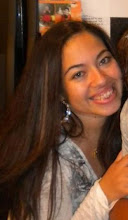
My photo
I'm Alma, I'm the mother to 2 beautiful boys and a gorgeous little girl. I love God, scrapbooking, shoes, sunglasses, purses and shopping.

My Blog List

Weight Loss 2012

  • 8/1/12- 177.3
  • 8/8/12- 175.0

My Pinterest!

Follow Me on Pinterest

Proud Circle Member!

Grab my button!

Blog Hop
Powered by Blogger.

Saturday, July 28, 2012

Minnie Mouse T-shirt

OMG, 2 posts in one week? I'm on a roll! LOL

As some of you know, we are taking our kids to Disneyland in October and we are SO excited because this will be Julie's first trip out there! She is such a HUGE Mickey and Minnie fan (As well as princesses) so I know it will be so worth it!

I love Pinterest and the other day I saw someone had pinned a post about a Minnie t-shirt made from applique that was zebra print and of course I knew I had to scraplift it! The awesome thing about accumulating and HOARDING so much crafting material is that you sometimes have all the supplies you need for a project therefore, in my mind, making it almost free! (hahaha) :) To make this shirt, all I had to do was buy the shirt from Walmart ($3.88) since I had the heat transfer vinyl already I was good to go!

To me, heat transfer vinyl is soooo much easier to use that regular vinyl because it already comes with backing material, eliminating the transfer tape step :) I used the zebra iron on from Hobby Lobby (I found it in the t-shirt aisle) and it's iron on material that you can cut on your die cut machine! SO ADORABLE! I think they have zebra, pink polka dot, etc. The glitter is the heat vinyl transfer and it stuck like a charm :)

Now, the only thing I have left to do is stitch around the edges so that I can make sure it is secure and she is good to wear it for her first day at Disneyland :) If anyone wants or needs step by step instructions, let me know and I will be happy to make a video showing you how to make your own shirt! :)


Close up! Don't you just love zebra print? Augh, I can never get enough! :)

Have a great weekend! :)

Friday, July 27, 2012

Disney Princess Paper Doll

Hiiiii! :)) As most of you know, Julie is a HUGE HUGE HUGE Disney Princess fan (and while we are at it, I will admit to it too! ;) and she absolutely ADORES the Disney Princess website. (If you haven't checked it out, you really should! It is SO cute!)

So she loves paper dolls and the website has a paper doll template that you can print out and then cut out and glue together to make your own. I thought, hmmm, 'I wonder if I can do it on my Cameo?' and guess what? I did! Therefore saving me having to cut anything out with scissors! (I'm SO very lazy now!) If any of you own the Cameo and would like the template all ready to go, email me at msalmabrooks@yahoo.com and I will send it to you!

Here are a few pics of the doll and of course, my own real life princess :)

This is the pieces after they have been printed and cut by the Cameo


Adorable right? We had to add some "bling" because some words printed out on her dress and we wanted to cover it up!
 And here is my real life princess, Julie, admiring her doll. It's amazing what makes her happy! 


Sunday, July 22, 2012

Julie's Ballet video

You know, when I first started this blog a long time ago, I had done it to keep my family updated on my children and life in general. Now with most being on Facebook, my blog has usually been about my crafty side but I MISS blogging constantly and I miss talking about my kids! hahaha :) That is why it's titled my Pink LIFE :) So for today's post I wanted to share the cutest little video I have!

Julie is one month into her beginning "ballet" classes and she LOVES it! This class is for 2 years old and up so you can definitely tell who the older more "Experienced" kids are but she's learning and she is just having the time of her life! Can you possibly imagine anything CUTER than toddlers as ballerinas? Yeah, me either.

 I hope you enjoy this quick video! :) This upcoming week I will have a Silhouette tutorial on how to print a title and then cut around it. Easy!

Have a happy and blessed week! :)


Monday, June 25, 2012

3D Cricut Batman- Video

Hey! So I made a 5 minute video last night showing you my new 3D Batman that I made and also share some tips on how to successfully cut this out :) I GOOGLED everything I could and could not for the life of me find a tutorial on how to make this so I kind of hard to learn as I went. In case you don't want to watch the video I'll share my tips on how to cut this out, but I will make another video showing you step by step this week :)

**TIPS**
-Cut as BIG as you possibly can! I used the "Fit to Page" feature and it came out to 9 1/4". You definitely don't want to deal with the tiny pieces if it's any smaller. (Unless you like to then more power to you!)

-Cut in order. And by order I mean, the very first base image is your HEAD box. Then cut the rest of the images according to the booklet.

-Glue all of your details onto your bases BEFORE you put it together. It will save you a lot of headache. :)

Saturday, June 23, 2012

Batman birthday invitations

My son Jacob is turning 8 years old and now that he is getting older, I can't get away with not having birthday parties for him anymore. If you know me personally, you know how much I typically despise throwing parties, mainly choosing to use the money that would have been spent on the party on a better gift for my kids. Well now Jacob has asked for a Batman birthday party so that is what he is getting :) Good for me because I was able to dust off my Batman cartridge (that I was lucky enough to get for $9 on ebay before all the sales went away!) and got to work designing. 

The cool thing about these invitations is that it really was not that hard to do! I actually used BOTH my Cricut and my Silhouette Cameo to make these. The outside is made from the Batman cartridge and the inside is designed on the Silhouette software. You could also use Word to do it since it's just a simple square but for me, it's easier to do it on Silhouette only because I can get it to print and cut exactly where I want :)

I downloaded the Batman Forever font from dafont.com :) Free! 

Have a happy weekend! 


Wednesday, June 20, 2012

Baby Shower!

Hey! I see I have accumulated quite a few new followers- THANK YOU! :) I love reading the comments you guys leave me and all that fun stuff! I promise I will be posting more regularly now that summer is here! For today I'm going to show you a couple of pictures of the baby shower I hosted for my sister in law who is due in August. Can you tell she is having a boy?=)


I did all the invitations (managed to do them on my Imagine before it got sold!) I made the banners, make the favors, cupcakes, cake pops, etc. I'm SO blessed my mother in law provided the food because honestly, I was so busy I would have completely forgotten!


This is the decorated dessert table...My first ever attempt at a diaper cake is right behind and those tissue balls were made out of what else, tissues :)


I'm particularly proud of my cupcakes because they are the very first batch I have ever decorated with an actual piping bag and tip! I am SO addicted! I even made the buttercream frosting and colored it myself :) Just tooting my own horn here! ;)


I can't believe this is the only shot I got of the banner but the banner was made on my silhouette using a font called "Pleasingly Plump" from dafont.com. ADORABLE right?? She asked to keep it after the shower and of course, I said yes :)


Close up of the VERY simple diaper cake with a bow from CCR- 3D bows. The signs and favor tags where all made on the Cameo :)

That's it! I'm happy to report that she LOVED it and that she now thinks I should plan parties for a living. LOL. No thanks! :) But I will do it for family and friends anytime! haha :)


Friday, June 15, 2012

Scraps to Treasure blog hop!

Hey guys :) Thanks for joining us on the Scraps to Treasure blog hop! IThe purpose of this blog hop is to showcase different ideas on how to use your scraps that you have laying around for a whole new project :) You are in the right place if you came from  http://theglamoroussideofscrapping.blogspot.com . If not, to start from the beginning make sure that you go to http://scrapandchat.blogspot.com (Sorry! My links are not working for some reason).

We all know I'm not really a "Card" maker, I am a scrapbooker so whenever I have any extra scrap paper, I save it to reuse on a layout! I did this with the extra white I had from another project and ran it through my Cricut Imagine to make my own "Cricut Circle" paper. I also reused scraps for my title :) And of crouse, I had to show case my beautiful little scrapbooker in training :) She is Julianne and she LOVES her Cricut!


Now...Blog Candy! 

There are two sponsors for this hop, Shannon Keith will be donating an item from her Etsy shop and Ginger Snap Scraps will be donating a $10 gift card so make sure you leave comments :)

Now MY blog candy! I am giving away the Cricut Circle Cartridge "Out of Character" when I reach 1000 followers so of course, leave me a comment and follow for your chance :)

Now you are off to Erica over at http://mycricutcraftroom.blogspot.com

:)